
By Mathilde Sudan, EyeTeK · Published on 12 January 2027 · Reading time: 7 min
January is when the law firm closes 2026 and when the accountant is waiting for the figures. Forgotten services, unbilled work in progress, debtors to chase, VAT to reconcile, accounts to close: the list is long, and the order matters. Here is what we recommend, in four stages, using the relevant ForenSys features. Is 31 December already behind you? No problem: ForenSys can reconstruct any position at any date!
💡 In a nutshell
- Four stages: complete and bill the year, freeze the position at 31 December, close the accounts, tidy up your cases.
- Watch out for limitation periods: fees forgotten in a dormant case are, as a rule, time-barred after five years.
- Two key figures for the accountant and the tax authorities: debtors and work in progress at 31 December, to be sent together.
- Nothing is lost in January: ForenSys reconstructs any position at 31.12.
- The right order: imports completed, accountant’s review, closing, balances carried forward.
Stage 1: complete and bill the past year
A reliable year-end closing starts with complete figures. Before you freeze anything, make sure all the work done in 2026 has been recorded.
1. Catch up on forgotten services
In the Lists menu, open the Activity report, filter by period (one click on the month in the calendar is enough) and sort by date. Empty or unusually light days stand out immediately. A green button above the table lets you add a service to any case without leaving the screen. The Hours report shows the same figures in summary form, with daily totals.
2. Spot dormant cases
In the Case list, the Dormant cases filter and column bring up the cases that have not moved since a date of your choice. Fees are, as a rule, time-barred after five years (Art. 128 of the Swiss Code of Obligations): a case forgotten since 2022 deserves a look now. For each case, there are two options: bill the balance, or close the case if it is finished.
3. Identify 2026 work in progress
Still in the Case list, sort by the Total WIP column, from largest to smallest. At the top of the list: the cases where the most work is waiting to be billed. A button lets you create a fee note or a retainer request directly, where appropriate. Nothing does more to secure your cash flow at the start of the year.
- Interim invoice or retainer? The interim invoice itemises the services for the client; the retainer is simply an advance payment.
- Legal aid cases: the Subject to legal aid filter lets you exclude, for example, this type of case from the work in progress to be billed.
4. Chase your debtors
In the Finance menu, open the Debtors list and sort by Days overdue: the more negative the number, the later the payment. The buttons at the end of each line let you create a reminder or record a payment without leaving the list. With ForenSys Business, the e-mail sending option makes the task even easier. Take the opportunity to close doubtful debts with the Close invoice option and record the loss on 30.12, so that they no longer appear on the debtors list at 31.12.
🛡️ Why a retainer protects the firm: professional secrecy generally prohibits disclosing a client’s name, but debt enforcement proceedings require it. A client who does not pay can also file an objection. Requesting a retainer at the start of the engagement therefore remains the best protection against unpaid fees.
Stage 2: freeze the position at 31 December
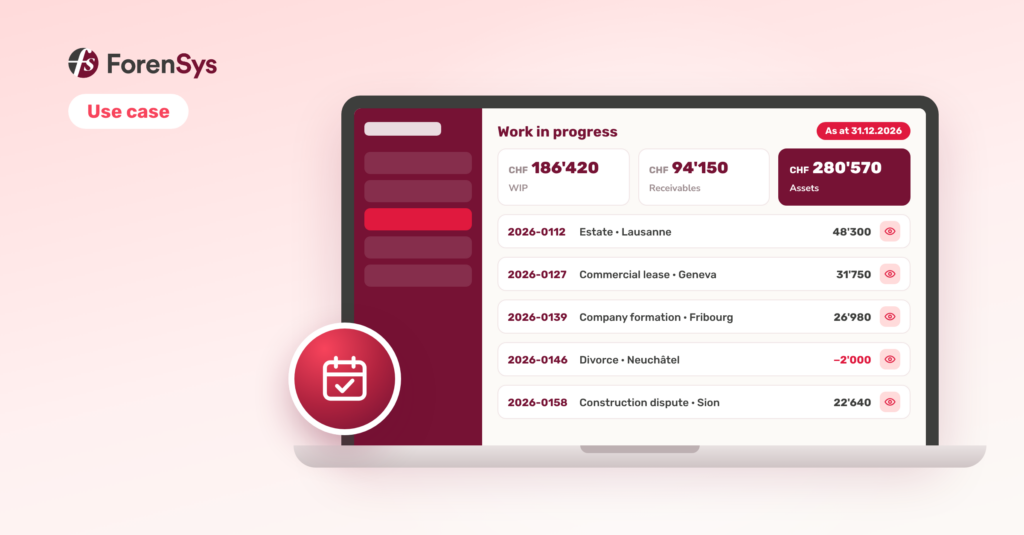
Your accountant needs an accurate picture of your assets at the closing date. Two figures sum it up: what clients owe you on invoices issued (debtors) and what they owe you for work not yet billed (work in progress).
5. Run the debtors list at 31 December
In the Debtors list, the Debtor as at… filter simulates the position at a given date. Enter 31.12.2026, for example: you get the exact status of the invoices open on that day, even if some have been paid since.
6. Run work in progress at 31 December
In the Finance menu, the Accounting WIP list gives, at the date of your choice, the value of the work performed: unbilled services, adjusted for retainers requested, received and used. The totals at the top of the list correspond to the “Work in progress” item under current assets in the tax return; the eye icon at the end of each line shows the calculation for each case in detail.
🧮 Good practice: send both lists together, at the same date. Work in progress + debtors = the firm’s case-related assets. Negative work in progress is not an error: it means that the retainers received exceed the work performed.
7. Check the year’s turnover and VAT
The Turnover and VAT list in the Finance menu gives the year’s turnover according to the settlement method agreed with the Swiss Federal Tax Administration (SFTA): either on the basis of agreed consideration (invoices issued) or on the basis of consideration received (payments received). ForenSys separates taxable and non-taxable amounts, and also breaks down the non-taxable amounts by category (non-taxable partners or countries, non-taxable domestic cases, exports, non-taxable services in taxable cases), as required by the VAT return form. This is the basis for your annual reconciliation with the accounts.
Is your firm not yet registered for VAT? Keep an eye on the year’s turnover: above CHF 100,000 of annual turnover, VAT registration becomes mandatory. A firm that reaches CHF 120,000, for example, has exceeded the threshold: it must register, and the VAT obviously cannot be re-invoiced to clients after the fact. It is best to settle the question with your fiduciary as soon as the threshold approaches.
8. Export for the accountant’s file
All these lists can be exported to Excel. A “Year-end 2026” folder with debtors, work in progress and turnover at 31.12, and your accountant will thank you!
Stage 3: close the accounts and open 2027
If you keep your general ledger in ForenSys (optional module, available with the Standard and Business licences), the last step happens in the same place as everything else.
9. Complete the journal entry imports
In the 2026 accounts, use the Import link to import the last invoices or payments (depending on your tax settlement method) up to 31 December. No re-keying, so no copying errors between case management and accounting.
10. Have the accounts reviewed, then close them
Once your accountant has completed the review, click Close accounts. The financial year is then frozen: no further changes are possible. Does a correction still need to be made? The closing can be reversed at any time.
11. Carry the balances forward into the 2027 accounts
In the new accounts, Import opening balances takes over the balances of all balance sheet accounts and automatically posts the reversals of the relevant accounts (for example, accruals and deferrals). If the 2026 financial year still changes, simply refresh the balances instead of starting again.
⚖️ The order that avoids rework: imports completed, accountant’s review, closing, balances carried forward. This checklist organises the work; it does not replace the advice of your fiduciary or the tax rules that apply to your firm.
Stage 4: tidy up your cases
The start of the year is also the right time to slim down the case list and avoid paying for type A2 licence packages unnecessarily.
12. Identify cases that can be deleted
In the Case list, filter by Closing date: cases closed more than ten years ago, at the end of the retention period, can in principle be deleted. First check that no specific obligation applies to the case. Good to know: ForenSys daily backups are kept for one year.
FAQ: year-end closing in ForenSys
31 December has passed: is it too late to run the figures?
No. The Debtor as at… filter and the date of the accounting WIP list reconstruct the position at 31.12, at any time.
Do I need the accounting module to follow this checklist?
No. Steps 1 to 8 and step 12 work without the accounting module. Steps 9 to 11 concern firms that keep their general ledger in ForenSys, an optional module available with the Standard or Business licences.
What happens if I need to correct 2026 after closing?
You can reverse the closing, make the correction, then close the accounts again. In the 2027 accounts, one click on Refresh updates the opening balances.
What does negative work in progress mean?
That the retainers requested exceed the work performed on the case: the firm still “owes” work to the client. This is common at the start of an engagement.
Why look at dormant cases at year-end?
Because services may have been waiting there for a long time, and fees are, as a rule, time-barred after five years. The Dormant cases filter and column in the case list bring them up in one click.
After how long can a case be deleted?
After ten years, at the end of the retention period. Filter the case list by closing date to find them.
Invoices issued or payments received: which method should I choose?
The one that matches the VAT settlement method agreed with the SFTA. ForenSys offers both, for turnover as well as for importing journal entries.
🖨️ Print the checklist and tick it off as you go
All 12 steps on one A4 page, with the exact place to click in ForenSys.
About the author: Mathilde Sudan is Marketing & Customer Success Manager at EyeTeK, the company behind ForenSys, the digital cockpit for Swiss legal professions, used by more than 600 law firms in Switzerland.
This article is for general information only. It does not constitute tax or accounting advice.

